The most important field in a warranty claim is the "Purchase Date". This is the only informational logic, coupled with the service request date, that is used to determine if the product is within the warranty period and the service will be covered under warranty by the manufacturer. Additionally, certain product models have a limited parts warranty and extended parts and/or labor warranty.
Therefore, always check the model entitlement (if it is available on the claims filing portal) to verify the warranty period, and calculate it according to the following example.
A customer reports a product performance issue on January 1, 2022, and the product was purchased on January 10, 2021. The product is still in the first-year warranty — by 10 days.
Rejection messages caused by purchase-date problems
If there is an issue with the purchase date, claims will be rejected, and you will receive one of the following error messages:
- Missing Purchase Date
- Invalid Purchase Date
- Purchase Date Changed
- Out of Warranty
- Purchase Date Too Early
Two very important steps to take when a customer calls for repair service, or a manufacturer or third-party administrator requests service:
- Check warranty entitlement.
- Obtain a copy of the sales receipt / proof of purchase from the customer.
Understanding how to access the manufacturer's warranty entitlement database to validate when the model was manufactured (manufacturer issue date), or whether the customer registered the product, is very important. If the customer registered their product, be sure the purchase date matches what is in the entitlement file and that it is after the manufacturer issue date.
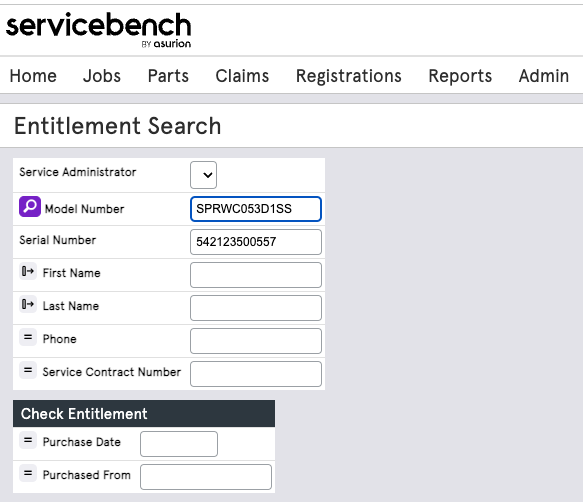
Entitlement search in ServiceBench
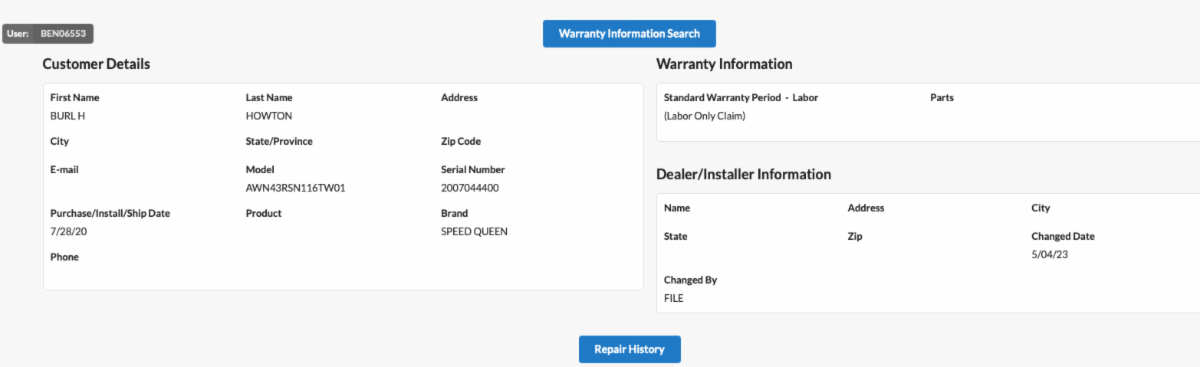
Entitlement search in ServicePower
Technicians take pictures of the model/serial tag of the appliance when they are in the customer's home — why not take a second picture of the sales receipt? With a copy of the sales receipt coupled with the matching model/serial from the tag, there is a very limited chance your claim will be rejected.
How ServiceBench and ServicePower handle date mismatches
In ServiceBench, if the date they have stored is a few days off from the date you determine is the purchase date on the claim, it will reject, and the ServiceBench date will appear in the purchase date field — highlighted. If you agree it's just within a few days of the date you have, simply Save as New Claim and Submit. Don't change anything, and it will pass the rule validation.
In ServicePower your claim will reject, and you are unable to correct it. If your date is correct, you will have to attach a picture of the proof of purchase under "documents", then email or call the manufacturer and attach the proof of purchase to the email for them to correct the claim to pass the rule validation.
Best practice — For the self-servicing dealer: when you sell an appliance, automatically register it with the manufacturer on behalf of your customer. It takes just a few minutes, and you will eliminate any issue with the purchase date for the next year if your customer requires product service.
Extended service contracts and home warranties — For these types of claims the purchase date is not as critical as it is for OEM warranties, but remember that knowing the purchase date could help both parties decide if the unit is "worth" repairing. Further, always check with the payee before repairing the product — the customer might not have enough value left in the contract to cover the required service.
Auggie™, the AI engine behind ClaimWorks, checks purchase-date logic on every claim before it's filed. Prefer to hand claims off entirely? Our claims administration services can take it from here — schedule a demo or call 877-535-WORK.